Last month, a new client came to me convinced their content was the problem. They’d rewritten their blog posts three times, hired a copywriter, and still couldn’t crack page one. Within the first 20 minutes of running a technical SEO audit on their site, I found the real culprit: half their pages were accidentally set to noindex after a botched plugin update. No amount of brilliant writing was going to fix that.
This is exactly why a technical SEO audit — a systematic review of your website’s infrastructure to identify issues that prevent search engines from crawling, indexing, and ranking your pages — is the first thing I do with every new client. Not keyword research. Not content gaps. The foundation first.
The good news? You don’t need a week or a $5,000 agency retainer to get this done. With the right process and tools, a comprehensive technical SEO audit checklist is completable in under two hours. Here’s exactly how I do it.
Step 1: Prep Your Tools — Don’t Skip This (5 Minutes)
Every wasted minute in an audit usually traces back to not having the right tabs open before you start. Before I touch a single URL, I make sure I have access to four things: Google Search Console, Google Analytics, Screaming Frog (or Ubersuggest if you want a free browser-based option), and PageSpeed Insights.
If the site has a Google Business Profile, I pull that up too — local SEO technical issues often surface in the audit and it’s faster to cross-reference in real time. I also keep a blank spreadsheet open with columns for Issue, URL, Priority (High/Medium/Low), and Fix. That structure alone saves 30 minutes of post-audit scrambling.
- Google Search Console (free — direct data from Google)
- Screaming Frog SEO Spider (free up to 500 URLs, paid for larger sites)
- Google PageSpeed Insights (free)
- Ubersuggest or Ahrefs Site Audit (optional paid upgrade)
- A simple spreadsheet to log findings
Step 2: Run Your Crawl and Check Indexation (15 Minutes)
This is where most audits should start, and where most amateurs skip ahead. As the team at KlientBoost puts it plainly: “if Google can’t crawl and index your site, nothing else matters.” I’ve seen sites with perfect content and zero traffic because a single robots.txt line was blocking Googlebot from the entire domain.
Start Screaming Frog crawling in the background while you open Search Console. Head to the Coverage report (now called the Indexing report in newer Search Console versions) and look for the ratio of indexed pages versus submitted pages in your sitemap. A significant gap here is your first red flag.
While the crawl runs, do a quick site:yourdomain.com search in Google. The number of results won’t be exact, but a dramatic mismatch between what Google shows and your actual page count tells you something is wrong with indexation. Screaming Frog will typically finish crawling a 200–500 page site in under 5 minutes and surface issues like redirect chains, 404 errors, and duplicate content automatically.
“Start with a crawl. It’s the fastest way to uncover hidden blockers — redirect chains, orphaned pages, accidental noindex tags — that no amount of content optimization can overcome.”
— Joshua Hardwick, Head of Content, Ahrefs
What you’re looking for in the crawl results:
- Pages returning 4xx errors (broken links, deleted pages)
- Pages returning 5xx errors (server-side problems)
- Redirect chains longer than one hop (301 → 301 → final URL)
- Pages tagged
noindexthat should be indexed - Missing or duplicate XML sitemaps
- Robots.txt blocking important directories
This is also where your internal linking strategy becomes technically relevant — orphaned pages (pages with zero internal links pointing to them) won’t get crawled consistently, and Screaming Frog will flag them for you.
Step 3: Audit Core Web Vitals and Page Speed (20 Minutes)
Here’s something I tell every client: Google doesn’t just want your site to be fast — it wants specific types of fast. Core Web Vitals are three measurable signals that Google uses as ranking factors, and they’re non-negotiable in 2026 with mobile-first indexing fully in effect.
The three metrics are Largest Contentful Paint (LCP), which measures how quickly the main content loads and should be under 2.5 seconds; Interaction to Next Paint (INP), which replaced First Input Delay and measures responsiveness; and Cumulative Layout Shift (CLS), which measures visual stability. According to Google’s Web Vitals documentation, hitting “Good” thresholds on all three correlates directly with lower bounce rates and better rankings.
In Search Console, go to Experience → Core Web Vitals and look at the breakdown between mobile and desktop. Then run your top 5 highest-traffic pages through PageSpeed Insights individually — the field data there reflects real user experience, not just lab conditions. I had a client once whose desktop scores were perfect but mobile LCP was clocking in at 6.8 seconds because of an unoptimized hero image. That single fix moved them from position 14 to position 6 for their main keyword within 45 days.
The most common culprits I find:
- Uncompressed images (WebP conversion is a quick win)
- Render-blocking JavaScript and CSS in the
<head> - No lazy loading on below-the-fold images
- Missing browser caching headers
- Third-party scripts (chat widgets, ad tags) loading synchronously
Step 4: On-Page Technical Elements (20 Minutes)
Once you know the site can be crawled and loads fast, you audit the on-page technical layer. This isn’t about content quality — it’s about the HTML signals Google uses to understand what each page is about and how to display it in search results.
Go back to your Screaming Frog data and filter for the following. Missing title tags and meta descriptions are the most common issues I find on sites that have been running for years — often because someone added pages through a page builder and never filled in the SEO fields. Duplicate title tags are particularly damaging because they signal to Google that two pages are about the same thing, splitting ranking authority between them.
- Missing or duplicate title tags (should be unique, under 60 characters)
- Missing or duplicate meta descriptions (under 155 characters)
- Missing H1 tags or multiple H1s on a single page
- Broken canonical tags pointing to wrong URLs or creating loops
- Images missing alt text (accessibility and image SEO signal)
- Pages with thin content (under 300 words) that should either be expanded or noindexed
Ubersuggest’s site audit tool crawls hundreds of pages in roughly 3 minutes and flags duplicate titles and meta descriptions automatically, which is a genuine time-saver if you’re auditing a large site without Screaming Frog’s paid version.
Step 5: Mobile-First and Rendering Checks (15 Minutes)
Google indexes the mobile version of your site first. That’s been true since 2019, but I still find sites in 2026 where the mobile experience is an afterthought — and their rankings reflect it. This step is faster than people think because Google gives you the data directly.
In Search Console, go to URL Inspection and test your homepage and two or three key landing pages. Click “Test Live URL” and then “View Tested Page” to see exactly what Googlebot sees when it renders your page — including whether JavaScript and CSS are loading correctly. This is the most accurate rendering check available because it’s literally using Google’s own infrastructure.
Also check the Mobile Usability report in Search Console for flagged issues like text too small to read, clickable elements too close together, or content wider than the screen. These are direct ranking signals, not just UX suggestions.
“Mobile-first indexing means Google predominantly uses the mobile version of the content for indexing and ranking. Historically, we’ve used the desktop version of a page’s content when evaluating the relevance of a page to a user’s query.”
— Google Search Central, Mobile-First Indexing Documentation
Step 6: Schema Markup and Structured Data (15 Minutes)
Schema markup is one of those areas where I consistently see the biggest gap between what sites have implemented and what they should have. Structured data tells Google not just what your page says, but what it means — and in 2026, with AI Overviews and rich results dominating the SERP, this matters more than ever.
Run your homepage and key service or product pages through Google’s Rich Results Test. You’re checking for two things: whether schema is present at all, and whether it’s valid (no errors that would prevent rich result eligibility). The most impactful schema types for most businesses are Organization, LocalBusiness, FAQPage, and BreadcrumbList.
If you run a service business, I’d strongly recommend reading our deeper guide on structured data for service businesses and the schema types that actually get rich results — it goes well beyond what a 2-hour audit can cover and includes implementation examples.
Common schema issues I find:
- No schema markup at all (extremely common on older WordPress sites)
- Schema present in the code but containing errors that invalidate it
- LocalBusiness schema missing NAP (Name, Address, Phone) consistency with Google Business Profile
- Product pages missing Review or AggregateRating schema
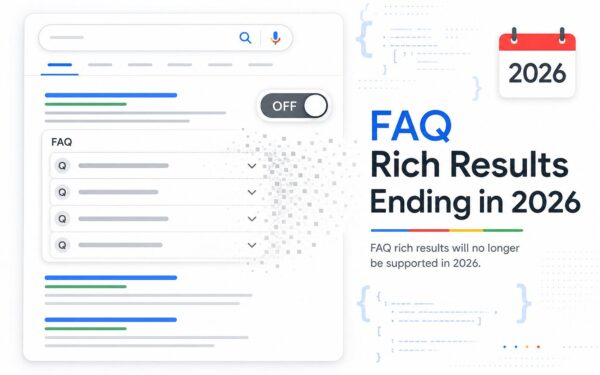
- FAQ schema present but not matching the actual visible FAQ content on the page
The Step Most SEO Audits Skip Entirely: Internal Link Equity Distribution
Every audit checklist I’ve ever seen covers crawl errors, page speed, and meta tags. Almost none of them give serious attention to how link equity is actually flowing through the site — and this is where I find some of the most impactful fixes.
Here’s what’s actually happening beneath the surface. When a page earns backlinks from external sites, that authority doesn’t just sit on that one page — it flows through your internal links to other pages. If your most authoritative page (say, your homepage) has 50 internal links pointing to random blog posts but zero links pointing to your highest-converting service page, you’re leaving ranking potential on the table.
In Screaming Frog, use the Bulk Export → All Inlinks report to see which pages have the most internal links pointing to them. Then cross-reference that with your Search Console performance data — are your highest-traffic, highest-converting pages also your most internally linked pages? If not, that’s a structural fix that can move rankings without touching a single word of content.
I wrote about this in detail in our guide on internal linking strategy in 2026 and how to build link equity without overcomplicating it — it’s worth reading alongside this audit process because the two work together directly.
Also look for:
- Pages with only 1–2 internal links pointing to them (under-supported pages)
- Orphaned pages with zero internal links (invisible to crawlers)
- Over-linked pages that dilute the equity they pass to others
- Anchor text patterns — are you using descriptive, keyword-rich anchor text or just “click here”?
This is the angle that separates a surface-level audit from one that actually moves rankings. And it’s something you can assess in 15 minutes with tools you already have open.
“The best SEO audits I’ve seen don’t just find problems — they prioritize them by revenue impact. A broken noindex tag on your top landing page is worth fixing before a missing alt text on a blog image from 2019.”
— Jonathan Alonso, Head of Marketing, Yellow Jack Media
Putting It All Together: Your 2-Hour Audit Timeline
Here’s how the full audit breaks down in practice. The key is running your Screaming Frog crawl in the background during step one so it’s finished by the time you’ve checked Search Console — that parallel processing alone cuts 15 minutes off the total time.
- Minutes 0–5: Open tools, start crawl, pull up Search Console
- Minutes 5–20: Review indexation report, check robots.txt and sitemap, analyze crawl results
- Minutes 20–40: Core Web Vitals in Search Console + PageSpeed Insights on top 5 pages
- Minutes 40–60: On-page technical elements — titles, meta descriptions, H1s, canonicals
- Minutes 60–75: Mobile usability report + URL Inspection rendering checks
- Minutes 75–90: Schema validation on key pages
- Minutes 90–105: Internal link equity distribution analysis
- Minutes 105–120: Prioritize findings by traffic impact, write action items
That last step — prioritizing by traffic impact — is what separates a useful audit from a 50-page report that sits in a Google Drive folder untouched. Fix the issues affecting your highest-traffic pages first. Everything else is secondary.
If you want to see how technical SEO performance connects to the broader metrics that actually matter for your business, our breakdown of the SEO metrics that matter now — rankings vs. citations vs. traffic puts the audit findings in a useful strategic context.
Ready to get your site’s technical foundation in order? Reach out to our team at Yellow Jack Media — we run technical audits for businesses across Central Florida and beyond, and we translate the findings into plain-English action plans that your whole team can actually execute.
Frequently Asked Questions
How often should I run a technical SEO audit?
For most small to mid-size businesses, a full technical audit every quarter is sufficient. If you’re running a large e-commerce site or pushing frequent content updates, monthly crawls with a tool like Screaming Frog or Sitebulb are worth the investment. At minimum, run a quick crawl any time you make major changes to your site’s structure, switch hosting providers, or update your CMS.
What’s the most important thing to fix first after a technical SEO audit?
Always fix indexation issues first. If Google can’t crawl and index your pages, no other optimization matters. After that, prioritize Core Web Vitals failures on your highest-traffic pages, then duplicate or missing title tags, then everything else in order of traffic impact.
Can I do a technical SEO audit for free?
Yes — Google Search Console, PageSpeed Insights, and the free version of Screaming Frog (up to 500 URLs) give you everything you need for a solid audit on most small business sites. Ubersuggest also offers a free site audit tool that surfaces the most common issues quickly. Paid tools like Ahrefs, Semrush, or Sitebulb add depth and automation but aren’t required to get real value from the process.
What are the most common technical SEO issues found in audits?
In my experience auditing dozens of sites, the most common issues are: accidental noindex tags on important pages, missing or duplicate title tags, slow LCP scores on mobile, broken internal links creating 404 errors, and missing schema markup. Redirect chains — where a URL redirects to another URL that then redirects again — are also extremely common and easy to fix once you spot them.
Resources
- Google Search Console — Free tool for indexation, Core Web Vitals, and mobile usability reports
- Google Web Vitals Documentation — Official thresholds and guidance for LCP, INP, and CLS
- Ahrefs SEO Audit Guide — Joshua Hardwick’s step-by-step audit process
- Google Mobile-First Indexing Documentation — Official guidance on mobile indexing requirements
- Moz Technical SEO Learning Center — Comprehensive reference for technical SEO concepts
The Small-Business Technical SEO Audit Stack I Actually Use
A real technical audit is not just crawling a site and exporting errors into a spreadsheet nobody fixes. The goal is to identify the handful of issues blocking crawl efficiency, rendering, structured understanding, and user experience. On smaller sites, that usually comes down to indexation hygiene, template consistency, internal linking, schema coverage, mobile rendering, and performance bottlenecks.
That is why I treat this audit checklist as the center of a technical SEO cluster. If your problem is performance-first, start with my Core Web Vitals guide. If the issue is search engines struggling to understand page meaning, pair this with my posts on structured data for service businesses and schema markup basics. If the issue is app behavior, app links, or handoff between screens, review what deep links now mean for SEO.
My 2-Hour Audit Priorities
- Check indexation, canonicals, redirects, and crawl waste first.
- Review mobile rendering and JavaScript dependency on key templates.
- Confirm structured data coverage on high-value pages.
- Validate internal links, orphan pages, and broken user journeys.
- Finish with Core Web Vitals so performance fixes support the bigger technical picture.