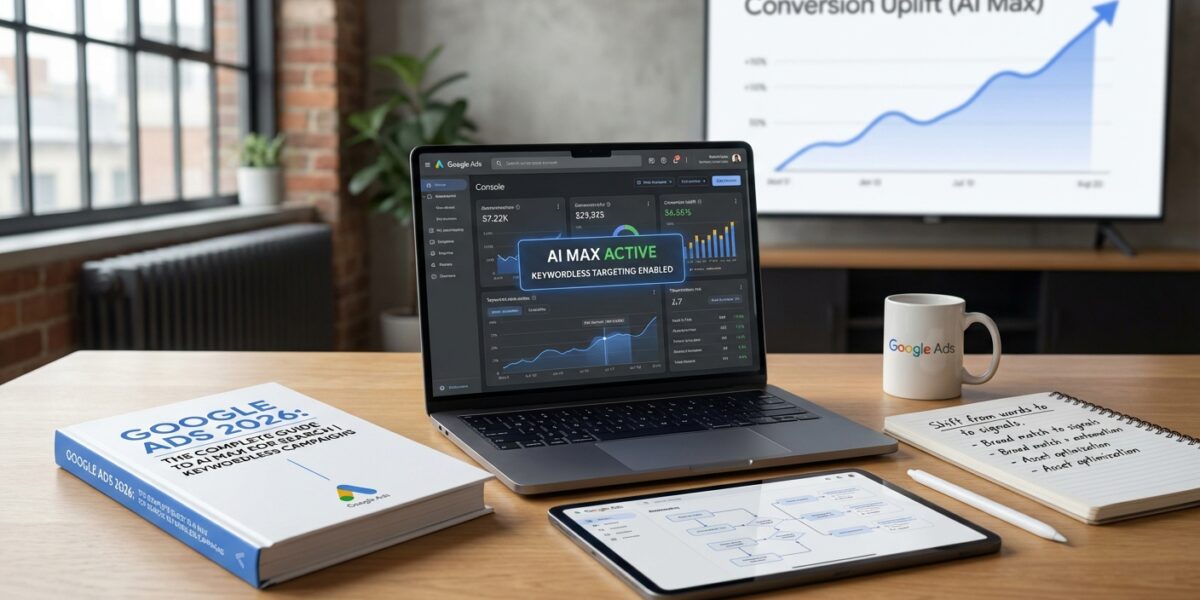
After managing Google Ads campaigns for over two decades, I’ve seen every major shift in the platform. But AI Max for Search represents something fundamentally different—it’s Google’s most sophisticated attempt at keywordless Google Ads that actually gives advertisers control. Unlike the black box approach of early automation, AI Max delivers transparency while leveraging powerful Google Ads AI 2026 optimization capabilities.
I’ve been testing AI Max extensively since its beta launch, and the results have been eye-opening. Let me share what I’ve learned about this game-changing feature and how it fits into your 2026 Google Ads strategy.
What Exactly Is AI Max for Search?
Here’s the most important thing to understand: AI Max for Search isn’t a new campaign type. It’s an AI-powered optimization layer you enable within your existing Google Search campaigns. Think of it as upgrading your current campaigns with three powerful AI features that enable broad match automation at scale.
According to Google’s official announcement, AI Max launched globally in May 2025 and was fully rolled out by Q3 2025. The data from over 18,000 campaigns shows it’s become Google’s fastest-growing AI-powered Search product. As confirmed by [blog.google](https://blog.google/products/ads-commerce/google-ai-max-for-search-campaigns), advertisers typically see 14% more conversions at similar CPA/ROAS when activating AI Max features.
The Three Core Features of AI Max for Search
Search Term Matching: This expands your reach using broad match automation and keywordless technology to capture relevant searches you’d otherwise miss. It’s like Dynamic Search Ads but significantly smarter, combining broad match settings with AI-powered query expansion.
Text Customization: AI automatically generates headlines and descriptions tailored to user queries and your landing pages. This goes beyond the old Automatically Created Assets (ACAs) by being more contextually aware and leveraging Google Ads AI 2026 capabilities.
Final URL Expansion: The system directs users to the most relevant page on your website based on their search intent, dynamically selecting the best landing page for each query through intelligent automation.
The beauty of AI Max for Search is that all three features can be toggled independently. You’re not forced into an all-or-nothing approach like with some automation features.
AI Max vs Performance Max vs Standard Search: When to Use What
I get this question constantly from clients. The choice isn’t always obvious, and frankly, Google hasn’t made it easier by introducing yet another AI-powered option for keywordless Google Ads management.
Based on my testing across different account types, here’s how I decide:
Use AI Max for Search When:
- You want to expand reach while maintaining Search campaign transparency
- Your current exact/phrase match keywords are limiting discovery
- You need granular control over where your ads appear
- You’re comfortable with AI-generated ad copy but want oversight
- You want to test broad match automation without losing campaign control
Stick with Performance Max When:
- You want true cross-channel reach (YouTube, Display, Gmail, etc.)
- You have limited time for campaign management
- Your business benefits from visual ad formats
For a deeper dive into Performance Max strategy, check out my complete Performance Max 2026 guide.
Keep Standard Search When:
- You have high-converting exact match keywords that work
- Your business requires strict control over search terms
- You’re in a highly regulated industry
- Brand safety is paramount
My Real-World AI Max Testing Results
I’ve been running AI Max for Search tests across 12 different client accounts since the beta. Here’s what I’ve learned about keywordless Google Ads performance:
The Good: One e-commerce client saw a 23% increase in conversions at the same CPA after enabling all three AI Max features. The broad match automation system found relevant long-tail searches we never would have targeted manually.
The Challenging: A B2B client in the legal space had to disable text customization because the AI-generated headlines were too generic for their specialized services. But search term matching alone still delivered a 15% reach increase through intelligent automation.
The Unexpected: Final URL expansion worked brilliantly for a multi-location service business, automatically directing users to location-specific pages based on their search intent using Google Ads AI 2026 technology.
How to Set Up AI Max for Search (Step-by-Step)
Setting up AI Max for Search is refreshingly straightforward compared to Performance Max. Here’s my recommended approach for implementing keywordless Google Ads:
Step 1: Campaign Selection for AI Max
Start with campaigns that are already performing well but have room for expansion. Don’t test AI Max for Search on struggling campaigns—fix those first.
Step 2: Enable Broad Match Automation Features Gradually
I always recommend starting with just search term matching to test broad match automation. Let it run for 2-3 weeks, then add text customization if the results look good. Final URL expansion comes last.
Step 3: Set Up Proper Exclusions
This is crucial for keywordless Google Ads success. Add your brand terms as negative keywords if you have separate brand campaigns. Also exclude any terms that have performed poorly in the past.
Step 4: Monitor Like a Hawk
The first two weeks require daily monitoring. Check search terms, ad performance, and landing page relevance. AI Max for Search learns fast, but it needs guidance initially.
Advanced AI Max Strategies for 2026
After months of testing Google Ads AI 2026 features, I’ve developed several advanced strategies that consistently outperform basic setups:
The Layered Approach
Run AI Max for Search campaigns alongside your existing exact match campaigns, but use different landing pages. This prevents cannibalization while maximizing reach through broad match automation.
Seasonal AI Training
For seasonal businesses, I enable AI Max 30 days before peak season. This gives the AI time to learn your best-performing patterns before the rush hits, optimizing keywordless Google Ads performance.
Negative Keyword Strategy for AI Max
Develop a comprehensive negative keyword strategy specifically for AI Max for Search campaigns. The broad match automation can be aggressive, so proper exclusions are essential for maintaining relevance and controlling costs in your keywordless Google Ads approach.