Claude Desktop Buddy: The $99 Hardware That Makes Claude Code Feel Real
I’ve been using Claude Code daily for six months. It’s in my terminal, it edits my files, it runs my tests. But here’s the problem: it’s invisible.
When Claude asks permission to run a shell command or edit a sensitive file, there’s no physical presence. No indication that something is happening. Just text appearing in a terminal window that might be buried under five other tabs.
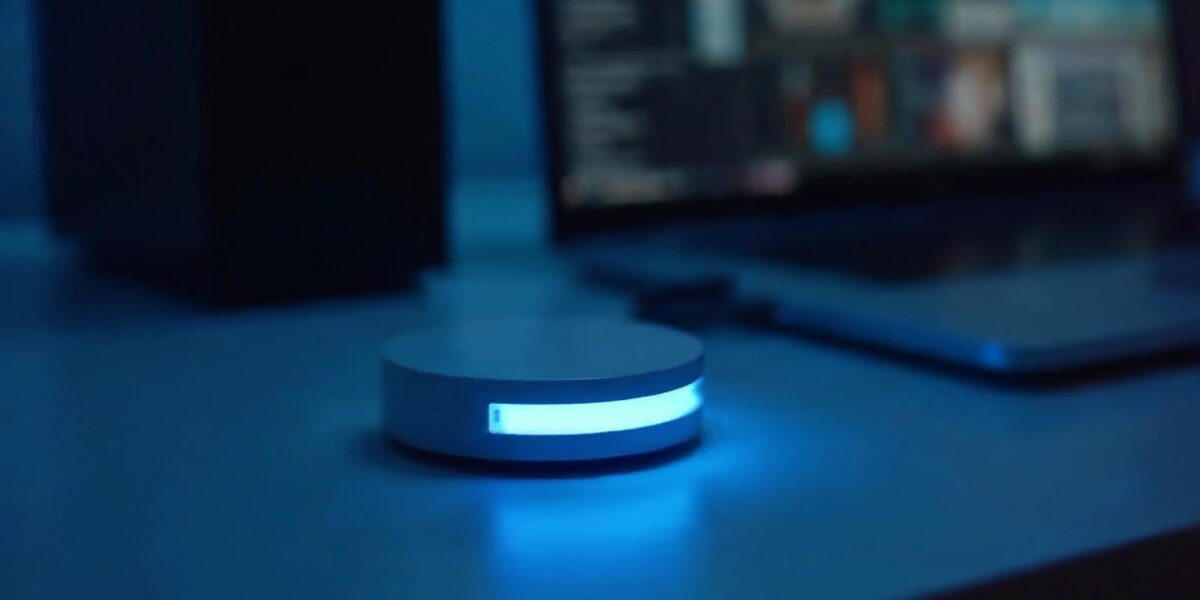
Anthropic just fixed that with Claude Desktop Buddy—a $99 BLE hardware companion that sits on your desk and makes Claude Code tangible.
What Is Claude Desktop Buddy?
Claude Desktop Buddy is a small hardware device that connects to Claude Code via Bluetooth Low Energy (BLE). It serves three core functions:
- Visual status indicator — LED lights show when Claude is working, idle, or needs attention
- Permission requests — Physical button to approve/deny tool calls without typing
- Message display — Small screen shows recent Claude messages at a glance
The device is built on an open protocol (GitHub repo) and is currently available for $99 pre-order ($50 off the planned $149 MSRP). Shipping is expected in Q3 2026 with lifetime firmware updates.
How It Works With Claude Code and MCP
Claude Desktop Buddy integrates directly with Claude Code—Anthropic’s terminal-based coding assistant. When you have an MCP (Model Context Protocol) server running and Claude requests permission to:
- Run a shell command
- Edit a file outside your working directory
- Access an external API
- Execute a potentially destructive operation
Instead of typing “y” in your terminal, you tap the button on the Desktop Buddy. The device lights up, shows you what Claude wants to do, and you approve or deny with a physical interaction.
This matters because authentication fatigue is real. When you’re in flow state coding, every context switch—switching to the terminal, reading the prompt, typing a response—breaks your concentration. A physical button keeps you in the zone.
5 Best Use Cases for Claude Desktop Buddy
1. Long-Running Development Sessions
When you’reRunning a complex build process or test suite through Claude Code, the Desktop Buddy stays lit during active operations. You can step away, grab coffee, and know at a glance whether Claude is still working or if it needs input. No more alt-tabbing back to the terminal every 30 seconds.
2. Secure Permission Workflows
For teams working with sensitive codebases, the physical approval mechanism adds a layer of intentionality. You can’t accidentally mash “y” and approve a dangerous operation. You have to physically reach for the device and press the button. This small friction prevents costly mistakes.
3. Multi-Screen Setups
If you work across multiple monitors (and who doesn’t in 2026?), your terminal is often not in your main field of vision. The Desktop Buddy sits on your desk where you can always see it. Status updates, error notifications, and permission requests become ambient awareness rather than buried notifications.
4. Pair Programming and Demos
When showing Claude Code to colleagues or clients, the Desktop Buddy makes the interaction tangible. They can see the LED change color when Claude is “thinking.” They can watch you approve a tool call with a button press instead of mysterious terminal typing. It turns an abstract AI interaction into a physical demonstration.
5. Accessibility
For developers who use screen readers or have motor control differences, the physical button and visual LED indicators can be easier to interact with than terminal-based prompts. The haptic feedback and clear visual states reduce cognitive load.
Why This Matters for AI Adoption
There’s a pattern in technology adoption: physical interfaces build trust faster than purely digital ones.
The original Macintosh had a physical power button with an LED. Early internet modems had blinking lights showing connection status. Smart speakers have mute buttons you can physically see and touch.
Claude Desktop Buddy does the same for AI coding assistants. It makes Claude Code—a tool that previously lived only in a terminal window—into something you can see, touch, and trust. The LED isn’t just decoration; it’s ambient computing in the original Weiser sense. Technology that fades into the background until you need it.
The Technical Details
The device connects via BLE 5.0 with a range of approximately 30 feet. It pairs with the Claude Code CLI through a simple setup process:
claude buddy pair
Once paired, the Desktop Buddy communicates with Claude Code’s MCP layer to intercept permission requests and status updates. The open protocol means third-party developers could theoretically build compatible devices or extend the functionality.
Battery life is rated at 2 weeks with normal usage (rechargeable via USB-C). The firmware is updateable over-the-air, and Anthropic has committed to lifetime support.
Is It Worth $99?
For casual Claude Code users? Probably not. If you’re running Claude once a week for simple queries, this adds friction you don’t need.
For daily users—especially those running long builds, managing sensitive infrastructure, or working in team environments—the value proposition is stronger. Consider:
- One mistaken “yes” to a destructive operation can cost hours of recovery
- Context switching costs an average of 23 minutes per interruption
- Physical interfaces reduce cognitive load and decision fatigue
If Claude Code is part of your daily workflow, the Desktop Buddy pays for itself in productivity and mistake prevention.
Limitations and Considerations
It’s not perfect. The current version only works with Claude Code (not Claude Desktop or the API). It requires BLE, which some older laptops don’t support well. And it’s another device on your desk—clutter-conscious minimalists might resist.
There’s also the question of vendor lock-in. While the protocol is open, the device itself is Anthropic-branded. If you switch to a different coding assistant, the Desktop Buddy becomes a paperweight.
Final Verdict
Claude Desktop Buddy represents a meaningful step forward in how we interact with AI assistants. It solves a real problem—the invisibility of terminal-based AI—with a simple, physical solution.
At $99 (pre-order pricing), it’s an affordable experiment for serious Claude Code users. Whether it becomes as essential as a good keyboard depends on how deeply you’ve integrated AI coding into your workflow.
For me? I’m pre-ordering. The ambient awareness alone is worth the price of a nice dinner.
Pre-order: ProductHunt | Open source: GitHub | Official site: claude-desktop-buddy.com
Related Articles
- Claude Sonnet 4.6 vs Opus 4.6: Which to Use — cost comparison for Claude models
- 11 Frontend Design Tools for Claude Code — tools that work with Claude